

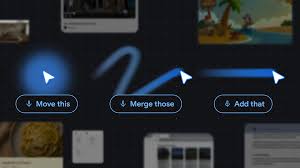
Artificial intelligence is transforming the way people interact with computers, and one area now gaining attention is the humble mouse pointer. For decades, the pointer has remained mostly unchanged, even as software, devices, and digital experiences evolved dramatically. Researchers are now exploring how AI can turn the traditional pointer into a smarter, context-aware assistant that understands not only what users are pointing at, but also what they want to achieve.
The vision behind this innovation is simple: AI should adapt to human behavior instead of forcing users to adapt to technology. Most AI tools currently require users to leave their workflow, open a separate window, and manually explain what they need. Future AI-powered interfaces aim to remove these interruptions by bringing intelligent assistance directly into the user’s workspace. By combining pointing, visual understanding, and voice interaction, AI could make digital tasks more natural, faster, and far more intuitive.
For example, a user could point at a picture of a restaurant and ask for directions, hover over a chart and request a visual summary, or highlight text in a document and instantly generate a concise explanation. Instead of typing long prompts, users would simply interact with content the same way they naturally communicate in everyday life.
Core Principles Behind the AI-Enabled Pointer
Researchers have developed several important principles to guide the future of AI-powered interaction. These principles focus on reducing complexity and improving the flow between users and technology.
Maintain the User’s Workflow
One of the biggest frustrations with current AI systems is the need to switch between applications. AI tools often exist in separate interfaces, forcing users to pause their work and manually provide context.
An AI-enabled pointer solves this problem by working directly inside the apps users already use. Whether someone is reading a PDF, editing a spreadsheet, browsing a webpage, or composing an email, AI assistance would be instantly available without disrupting productivity. A user could summarize a report, convert statistics into charts, or adjust content in real time while staying focused on the task at hand.
Combine Visual Context with Instructions
Modern AI systems usually depend on carefully written prompts. However, humans naturally rely on visual references and shared context during communication.
An intelligent pointer changes this by allowing the AI to understand the area surrounding the cursor. Instead of explaining every detail, users could simply point to a paragraph, image, graph, or code block while giving a short instruction. The AI would automatically recognize what is important and respond accordingly.
This creates a smoother experience where the computer understands both the user’s command and the visual information connected to it.
Enable Natural Human Communication
People rarely communicate using long and overly detailed instructions in daily life. Simple phrases such as “Fix this,” “Move that,” or “Explain this part” are usually enough because gestures and shared context complete the meaning.
AI-powered pointing systems aim to replicate this natural interaction style. By combining speech, cursor movement, and contextual understanding, users would no longer need complicated prompts. The computer could interpret short commands accurately and respond more like a collaborative assistant rather than a traditional software tool.
Transform Pixels into Intelligent Objects
Traditional computers only detect where the cursor is located on the screen. Future AI systems can go further by understanding what the cursor is pointing at.
This means images, text, videos, and interface elements can become interactive entities. A handwritten note could instantly turn into a digital task list, a paused travel video could reveal booking information for nearby attractions, and highlighted products on a shopping page could be compared automatically.
By recognizing objects, places, dates, and actions directly from visual content, AI can turn static information into meaningful, actionable experiences.
Real-World Applications
These interaction principles are already beginning to appear in modern products and platforms. AI-powered browsing experiences could allow users to ask questions about selected webpage content, compare products instantly, or even visualize furniture placement inside their homes.
Future laptops and operating systems may also integrate intelligent pointing systems directly into the desktop environment. This would allow users to access AI support instantly through gestures and voice commands, creating a seamless connection between work, creativity, and digital assistance.
As these technologies continue to evolve, developers are also experimenting with new applications across research platforms and AI labs to explore how intelligent interaction can improve productivity, accessibility, and creativity.
FAQS
What is an AI-enabled pointer?
An AI-enabled pointer is a smart cursor system that uses artificial intelligence to understand what users are pointing at and what actions they want to perform.
How is it different from a traditional mouse pointer?
A traditional pointer only tracks cursor movement, while an AI-powered pointer can recognize objects, text, images, and context to provide intelligent assistance.
Why is this technology important?
It reduces the need for complex prompts and separate AI windows, allowing users to work more naturally and efficiently within their existing workflow.
Can AI-powered pointers work across different applications?
Yes, the goal is to make AI assistance available across multiple apps and platforms without interrupting the user’s workflow.
What tasks could an AI-enabled pointer perform?
It could summarize documents, compare products, create charts, explain text, identify objects, provide directions, and perform many other context-aware tasks.
Will users still need to type prompts?
Users may still use text prompts when needed, but the system is designed to rely more on pointing, voice commands, and visual context.
Which companies are exploring this technology?
Major technology companies, including Google, are researching and developing AI-powered interaction systems for browsers, laptops, and digital platforms.
Could this technology improve accessibility?
Yes, AI-enabled interaction could make computers easier to use for people with disabilities by simplifying navigation and reducing reliance on complex manual inputs.
Conclusion
The evolution of the mouse pointer may seem like a small change, but it represents a major shift in how humans interact with computers. Instead of relying on complicated prompts and disconnected AI tools, future systems aim to create experiences that feel more natural, fluid, and intuitive. By combining pointing, speech, and contextual understanding, AI can become a seamless extension of the user’s workflow rather than a separate destination.
This human-centered approach has the potential to redefine productivity, communication, and creativity across digital environments. As AI continues to advance, the simple act of pointing at something on a screen could become one of the most powerful and intelligent forms of interaction in modern computing.
